


Download ColorfulTabs – Customize, Color‑Code & Manage Firefox Tabs Effortlessly
Why ColorfulTabs Is a Must‑Have Firefox Add‑On
Tabbed browsing set Firefox apart from its rivals, but when you open dozens of pages the visual clutter can become overwhelming. ColorfulTabs transforms that chaos into a clean, color‑coded workspace. By assigning each tab a unique hue—or grouping tabs by domain—you instantly know where every page lives. The add‑on also offers subtle transparency effects, background highlights, and a handful of customization options that keep your workflow smooth and your browser looking fresh. Whether you’re a researcher juggling dozens of sources, a developer testing multiple environments, or simply a power user who loves a tidy UI, ColorfulTabs adds both aesthetic appeal and functional clarity to your Firefox experience.
The extension is free, regularly updated for security, and works across Windows, macOS, and Linux. Its lightweight design means it won’t slow down your browsing, while the intuitive settings panel lets you switch between random colors, domain‑based groups, or fully custom palettes with just a few clicks. Below you’ll find a deep dive into what makes ColorfulTabs stand out, how to install it, and whether it fits your system.
Key Details: Features, Installation, Compatibility & Pros/Cons
Feature Highlights
- Automatic random color generation for each new tab.
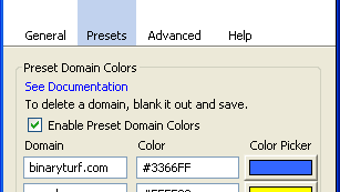
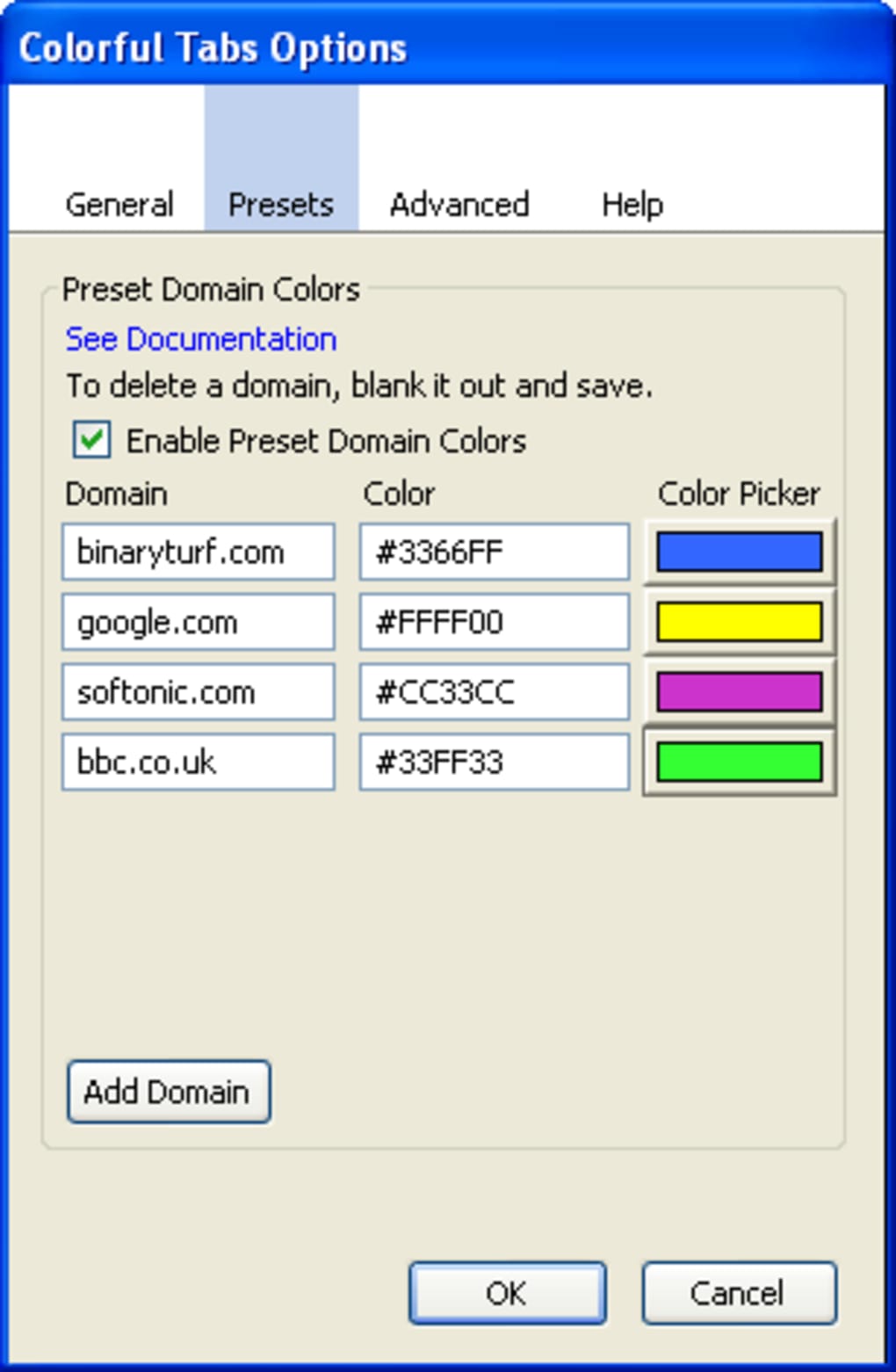
- Domain‑based color grouping (e.g., all BBC tabs turn green, all Softonic tabs turn pink).
- Custom color picker to assign any shade to individual tabs.
- Active‑tab highlight with adjustable transparency for background tabs.
- Full‑screen background color behind the tab bar for a unified look.
- Compatibility fixes for popular add‑ons like Tile Tabs.
- Responsive design that respects Firefox’s built‑in theme and dark mode.
Step‑by‑Step Installation & Usage
Getting ColorfulTabs up and running is straightforward:
- Open Firefox and navigate to the ColorfulTabs page on Mozilla Add‑Ons.
- Click the Add to Firefox button and confirm any permission prompts.
- After installation, a new icon appears in the toolbar. Click it to open the settings panel.
- Choose your preferred coloring mode:
- Random – Let the extension assign a fresh hue to each new tab.
- Domain Group – Enable automatic grouping by website domain.
- Custom – Manually pick a color for any tab via the color picker.
- Adjust the highlight opacity slider to set how faded inactive tabs appear, and pick a background color for the tab bar if desired.
- Changes apply instantly; you can toggle settings on the fly without restarting Firefox.
For power users, the “Reset Color” button (fixed for macOS in the latest update) clears all custom assignments, returning tabs to the default mode. The extension also respects Firefox’s “Container Tabs” feature, allowing you to keep color groups separate for each container.
Compatibility
ColorfulTabs is built for the latest versions of Firefox on Windows 10/11, macOS 12 and newer, and major Linux distributions (Ubuntu, Fedora, Debian). The add‑on leverages Firefox’s WebExtensions API, ensuring it stays functional after each browser update. Known limitations:
- The close button overlay is disabled on macOS; use the Esc key or the standard tab close icon.
- Palette presets (e.g., pastel, neon) are not currently available—colors are generated per the selected mode.
Overall, the extension runs smoothly alongside other popular add‑ons such as Tab Mix Plus, Tree Style Tab, and Tile Tabs, with no reported memory bloat.
Pros & Cons
- Pros
- Instant visual organization for large tab sets.
- Flexible coloring modes suit both casual and power users.
- Lightweight and free, with regular security updates.
- Works well with dark themes and transparent backgrounds.
- Active‑tab highlight improves focus and reduces eye strain.
- Cons
- No built‑in palette presets (pastel, neon, etc.).
- Mac users must use Esc to close tabs due to UI limitation.
- Customization requires opening the settings panel each time you want a new scheme.
Frequently Asked Questions
Is ColorfulTabs safe to install?
Yes. The add‑on is reviewed by Mozilla’s add‑on team, uses the official WebExtensions API, and receives regular security patches.
Can I use ColorfulTabs on mobile Firefox?
Currently the extension is only available for desktop Firefox. Mobile Firefox does not support third‑party tab‑management add‑ons.
How do I reset all custom colors?
Open the ColorfulTabs settings panel and click the “Reset Color” button. The feature now works correctly on macOS as of the latest version.
Will ColorfulTabs affect browser performance?
No. The add‑on is lightweight; it only manipulates CSS for the tab bar and does not load heavy scripts. Users report negligible impact on page load times.
Can I color tabs by a custom list (e.g., specific URLs only)?
Yes. In the custom mode you can pick a color for any open tab individually. However, bulk‑assigning based on a list requires manual selection per tab.
Final Verdict & Call to Action
ColorfulTabs bridges the gap between visual flair and practical tab management. Its ability to instantly differentiate tabs—whether by random shades, domain grouping, or manual selection—makes multitasking in Firefox far less stressful. While it lacks pre‑set palettes and has a minor macOS UI quirk, those shortcomings are outweighed by its stability, free price tag, and frequent updates. If you often find yourself with a crowded tab bar, installing ColorfulTabs is a simple, effective solution.
Ready to bring color and order to your browsing? Download ColorfulTabs now and start customizing your tabs today.







